SnapInsta – Anonymous Instagram Story Viewer & Downloader
Enter a public @username to view Stories and Highlights in HD — no login, no watermark, no trace in the creator's viewer list.
SnapInsta Anonymous Instagram Story Viewer & Downloader – Watch and Save IG Stories in HD
View public Instagram Stories anonymously without showing up in the creator's viewer list, and download them in original HD before the 24-hour window closes. Works on iPhone, Android, Windows, and Mac.
Instagram Stories disappear after 24 hours by design — that ephemerality is what made the format viral, but it's also what makes Stories so frustrating to research, archive, or revisit. SnapInsta's anonymous Instagram Story viewer solves both problems at once: watch any public Story without your name appearing in the creator's viewer list, and download the underlying MP4 or JPEG to your device before Instagram deletes it.
What makes the SnapInsta Instagram Story downloader different from a screen recording is fidelity. Screen recording captures Story playback at your device's screen resolution, with the Instagram UI chrome cropped into the frame, audio sometimes desyncing, and the final file always inferior to the original upload. SnapInsta downloads the exact media file Instagram's CDN serves — usually 1080×1920 vertical MP4 for video Stories and 1080-wide JPEG for photo Stories — pixel-for-pixel identical to what the creator uploaded.
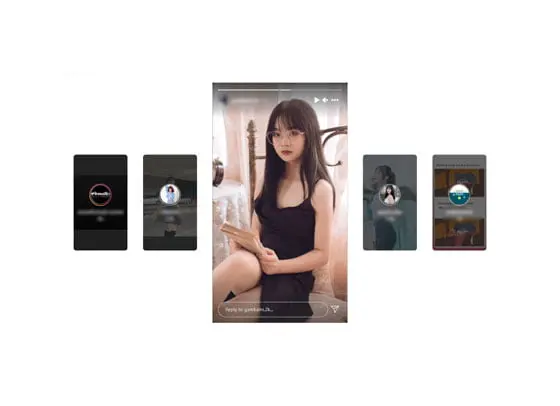
Why Use SnapInsta as Your Anonymous Instagram Story Viewer?
Instagram itself does not offer an anonymous Story viewing mode — every Story you watch in the official app is logged into the creator's viewer list with your username and profile picture. For competitive researchers, journalists, ex-relationships, hiring managers, and anyone who wants to study public Story content without being tracked, that visibility is a problem. SnapInsta's Instagram Story viewer solves it by fetching public Story media server-side, so your personal Instagram account never touches playback.
- • Anonymous Story viewing. Your name never appears in the creator's Story viewer list. The Instagram Story viewer renders public Stories without authenticating as you.
- • HD downloads. Save Stories in original 1080-wide resolution — same MP4 or JPEG Instagram's native app would play.
- • No watermark. Zero SnapInsta branding on downloaded Stories. The file is identical to the source.
- • No login. The Instagram Story downloader never asks for your Instagram credentials or any account.
- • Story Highlights supported. Paste a Highlight reel link and SnapInsta returns each story slide as a separate download.
- • Cross-device. Works on iPhone, Android, iPad, Windows, and Mac browsers — no app, no extension.
- • Free forever. No subscription, no daily quota for personal use.
- • Privacy-first. SnapInsta does not store the Story files you download or log which URLs you pasted.
How to View and Download Instagram Stories Anonymously — Step by Step
The SnapInsta anonymous Instagram Story viewer workflow takes about ten seconds end-to-end and works identically on every device. There is no app to install and no Instagram login at any step. Here is the exact sequence to view and download Stories anonymously with SnapInsta.
- Find the public Story you want. Open Instagram and locate the creator's Story ring at the top of the feed or on their profile. Make sure the account is public — private accounts cannot be viewed anonymously by any Instagram Story viewer, including SnapInsta.
- Copy the link. For a live Story, copy the link to the creator's profile (instagram.com/username). For a Highlight, open the Highlight first and copy that specific Highlight URL. Either format works in the SnapInsta Story viewer.
- Open SnapInsta. You're already on the Story viewer page, so just scroll back to the top.
- Paste the link. Tap or click inside the URL input and paste. SnapInsta auto-detects whether you pasted a profile link, a Story link, or a Highlight link.
- Click Download. The Instagram Story downloader fetches every active public Story from the account, plus any pinned Highlights you specified, and lists them as separate items.
- Preview anonymously. Tap any Story thumbnail to watch the full Story in the SnapInsta Story viewer — without showing up in the creator's viewer list.
- Save what you want. Tap the Download button on each Story you want to keep. The MP4 or JPEG saves directly to your device's Downloads folder.
Who Uses the SnapInsta Anonymous Story Viewer
The SnapInsta Instagram Story viewer attracts a remarkably wide range of users because anonymity and archival are both useful in completely different contexts. Here's who relies on the Instagram Story downloader the most.
Social Media Marketers and Competitive Researchers
Marketers study competitor Story strategy — frequency, content style, hooks, calls-to-action, poll patterns, swipe-up linking — and the last thing they want is to show up in the competitor's daily viewer list as a research signal. SnapInsta's anonymous Instagram Story viewer makes that competitive research invisible. The Instagram Story downloader extends the value by letting marketers archive Stories into a competitive-intelligence library before the 24-hour window closes.
Journalists and Investigative Researchers
Journalists covering public figures rely on the SnapInsta Instagram Story viewer to monitor public Story activity without revealing their identity to the subject. Stories often contain the most candid statements that get deleted before reporters can quote them — the Instagram Story downloader captures those moments in their original form so they can be referenced accurately later.
Creators Archiving Their Own Stories
Most creators don't archive their own Stories until it's too late, and then realize they've lost months of behind-the-scenes content forever. SnapInsta's Instagram Story downloader gives creators a fast way to pull down their public Stories and Highlights in original quality for portfolio archives, content recycling on TikTok or YouTube Shorts, and backup against accidental account loss.
Educators and Media Studies Researchers
Stories are now a primary source for visual culture studies and digital ethnography. The SnapInsta Instagram Story downloader lets academics archive public Stories for longitudinal research before Instagram deletes them, preserves the file in its original form so citations stay accurate, and lets educators show real Stories in classroom material without exposing student researchers' identities to the studied creators.
Everyday Users Saving Memories
Sometimes a friend posts a hilarious Story that deserves to be saved before it disappears, or a family member captures a moment in a Story you want to keep forever. The Instagram Story downloader handles those one-off saves in seconds. The anonymous Instagram Story viewer is also useful for keeping up with content from creators you don't want to follow openly — public figures, ex-partners, old classmates.
What's the Difference Between Stories, Highlights, and Posts?
The SnapInsta Instagram Story downloader handles two specific Instagram formats: live Stories (which expire after 24 hours) and Story Highlights (which the creator chose to pin permanently to their profile). Posts — single photos, carousels, and Reels — are handled by the other SnapInsta downloaders. Knowing which is which helps you choose the right SnapInsta tool.
Live Stories appear in the rings at the top of the Instagram feed and on the creator's profile. They expire automatically 24 hours after posting, and Instagram itself deletes the underlying media from its CDN after expiry. If you want to save a live Story, the SnapInsta Instagram Story downloader needs to grab it before the 24-hour window closes — there's no way to recover an expired Story.
Story Highlights are Stories the creator chose to keep permanently. They show up as round icons below the creator's bio. Each Highlight is a curated collection of past Story slides, and the underlying media is hosted on Instagram's CDN indefinitely as long as the creator keeps the Highlight pinned. The SnapInsta Story downloader handles Highlights with the same workflow — paste the Highlight link, get each slide as a separate file.
How the SnapInsta Story Viewer Stays Anonymous
The core trick is that SnapInsta fetches the Story media server-side rather than client-side. When you view a Story in the official Instagram app or web client, Instagram logs your account as a viewer because your authenticated session is the one requesting the playback. With the SnapInsta anonymous Instagram Story viewer, an unauthenticated SnapInsta server fetches the public Story media, then streams it to your browser as a generic MP4 or JPEG. Your personal Instagram account never authenticates against the Story, so Instagram's viewer-list system never records you.
This only works for genuinely public Stories — accounts whose privacy setting is "Public" rather than "Private." Private accounts' Stories require an authenticated, approved-follower session to fetch, which SnapInsta deliberately does not have. The Instagram Story viewer is anonymous for public Stories and unavailable for private ones, which is exactly how Instagram's privacy model is supposed to work.
Common Issues and How to Fix Them
The SnapInsta Instagram Story downloader works on the first try for almost every public Story and Highlight. The few failures users see almost always trace back to one of these recurring issues:
- • The Story already expired. If the 24-hour window has passed, Instagram has deleted the Story from its CDN. No Instagram Story viewer can recover it. Save Stories you care about immediately.
- • The account became private. If a creator switched their account to private between when you saw the Story and when you pasted the link, the SnapInsta Story viewer will return an error. Private Stories cannot be viewed anonymously.
- • The Story was deleted manually. Creators sometimes pull a Story before the 24-hour expiry. If the creator deletes it after you saw it, the link will fail.
- • You pasted a profile link for an account with no active Stories. The Instagram Story downloader needs the account to have at least one public Story or Highlight active.
- • Browser blocking cross-origin content. A small number of strict privacy browsers block the Story media stream. Switch to Chrome, Safari, or Firefox if a Story refuses to load.
Privacy, Compliance, and Ethical Use of the Story Downloader
The SnapInsta Instagram Story downloader is engineered with privacy as a first-class concern. There is no Instagram login step, no personal account, and no profile building. Every connection between your browser and the Story downloader uses HTTPS encryption. The Story file flows from Instagram's CDN to your browser through a thin secure proxy — never re-hosted on third-party storage, never analyzed, never stored. Aggregate anonymous analytics keep the service running, but there is no per-user identifier because the Instagram Story viewer deliberately does not build one.
On the compliance side: Stories that were posted publicly were posted to the world. Watching and saving public Stories falls within typical fair-use patterns for personal study, archival, and research. The SnapInsta Instagram Story downloader does not change your legal obligations — copyright in the Story content (footage, music, voiceover) still belongs to the original creator. For commercial reuse or re-uploading to other platforms, obtain explicit permission from the creator and check your local copyright law. Use the Instagram Story downloader the way you would use a browser's "Save As..." menu: as a personal archive tool, not as a republication system.